Default monitoring is a sane schedule for every discovered form. This tutorial covers the knobs for when the default isn’t what you want.
The tour:
Per-form controls
Every form row has three controls:
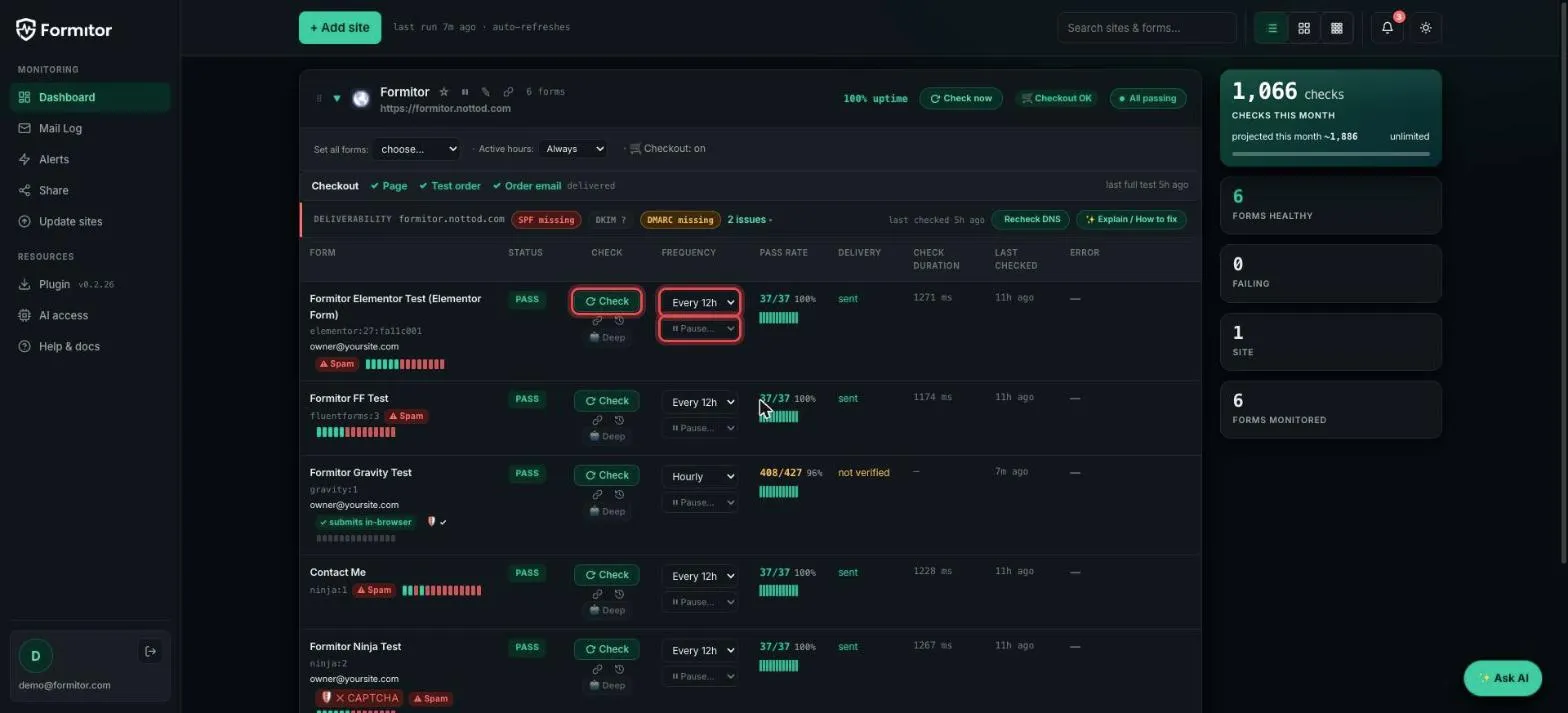
- Check: run one right now. Use it after fixing something instead of waiting for the schedule; the row updates in a minute or two.
- Frequency: from hourly to daily. Your money forms hourly, the newsletter box daily.
- Pause: stop testing this one form, remember the old cadence, restore it on resume.
The Deep button under Check runs the heavyweight variant: a real browser drives the actual page and fills the form like a human would. It catches JS-level breakage a server-side submit can’t see.
Site-level controls
The bar above the form list sets everything at once:
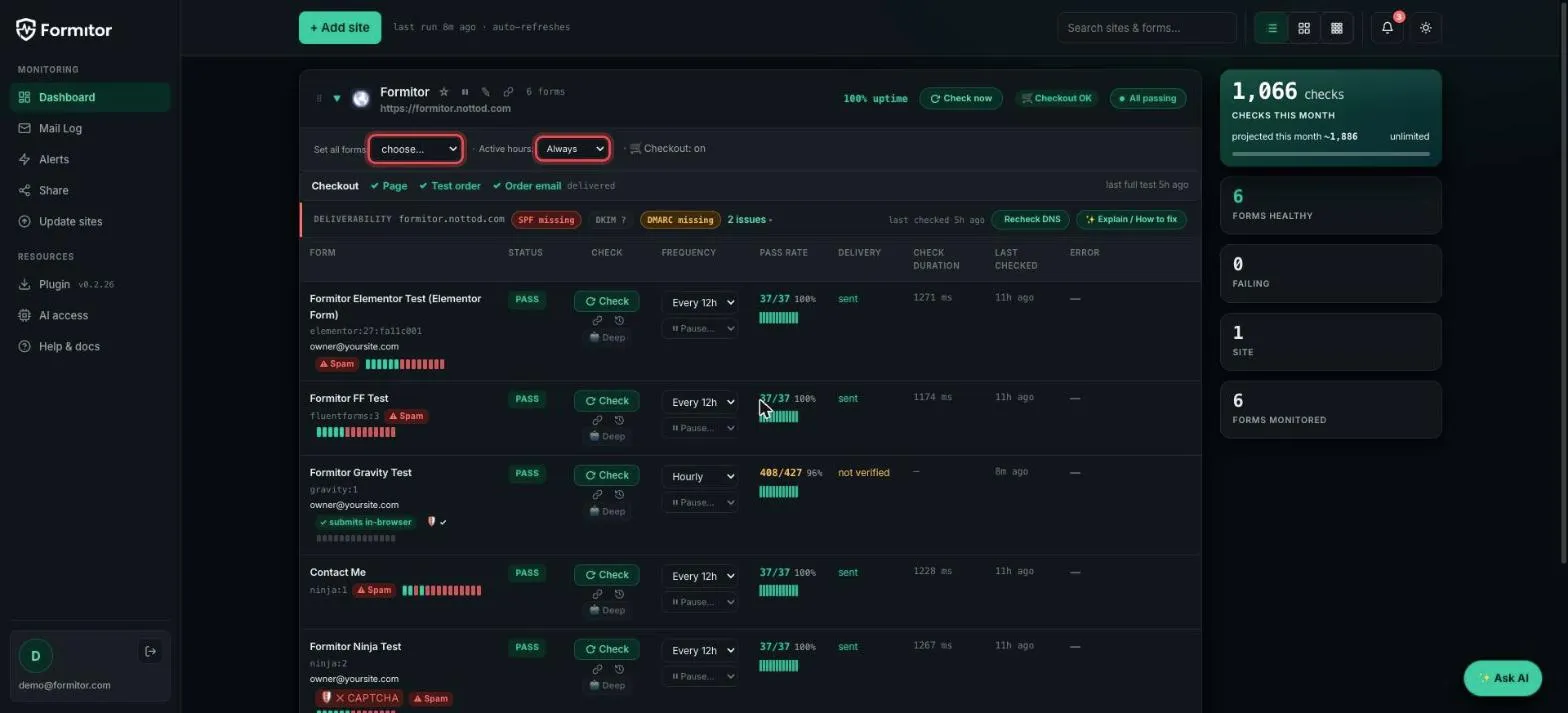
- Set all forms: one frequency for every form on the site.
- Active hours: restrict testing to a window in the site’s timezone. The client who reads their inbox at 6am shouldn’t wake up to a 3am test entry, tagged or not.
- Site header also has a pause toggle: the whole site goes quiet during a migration, one click.
CC the client (use sparingly)
The Add-site form and site editor have an optional CC on tests address. It receives a copy of every test email, and that can be many per day. Leave it empty unless the client explicitly wants raw proof; the shareable status page is usually the better answer.
The philosophy
Quotas are generous and checks are cheap, so the question isn’t “can I afford to test hourly?” but “who needs to know, how fast?” Money forms: hourly. Everything else: the default is fine.