You changed a form, or a client swears “the form is broken”, and you want to submit it yourself and see the notification email with your own eyes. Without help, that means the client gets your “test test please ignore” in their inbox.
Hijack forms fixes that: for a limited window, form notifications triggered by your own admin session are rerouted to an inbox you choose. Real visitors’ submissions keep flowing to the client untouched.
The whole feature in forty seconds:
Where it lives
On any site running the Formitor plugin, administrators get a Hijack forms item in the WordPress admin bar. Nobody below administrator sees it.
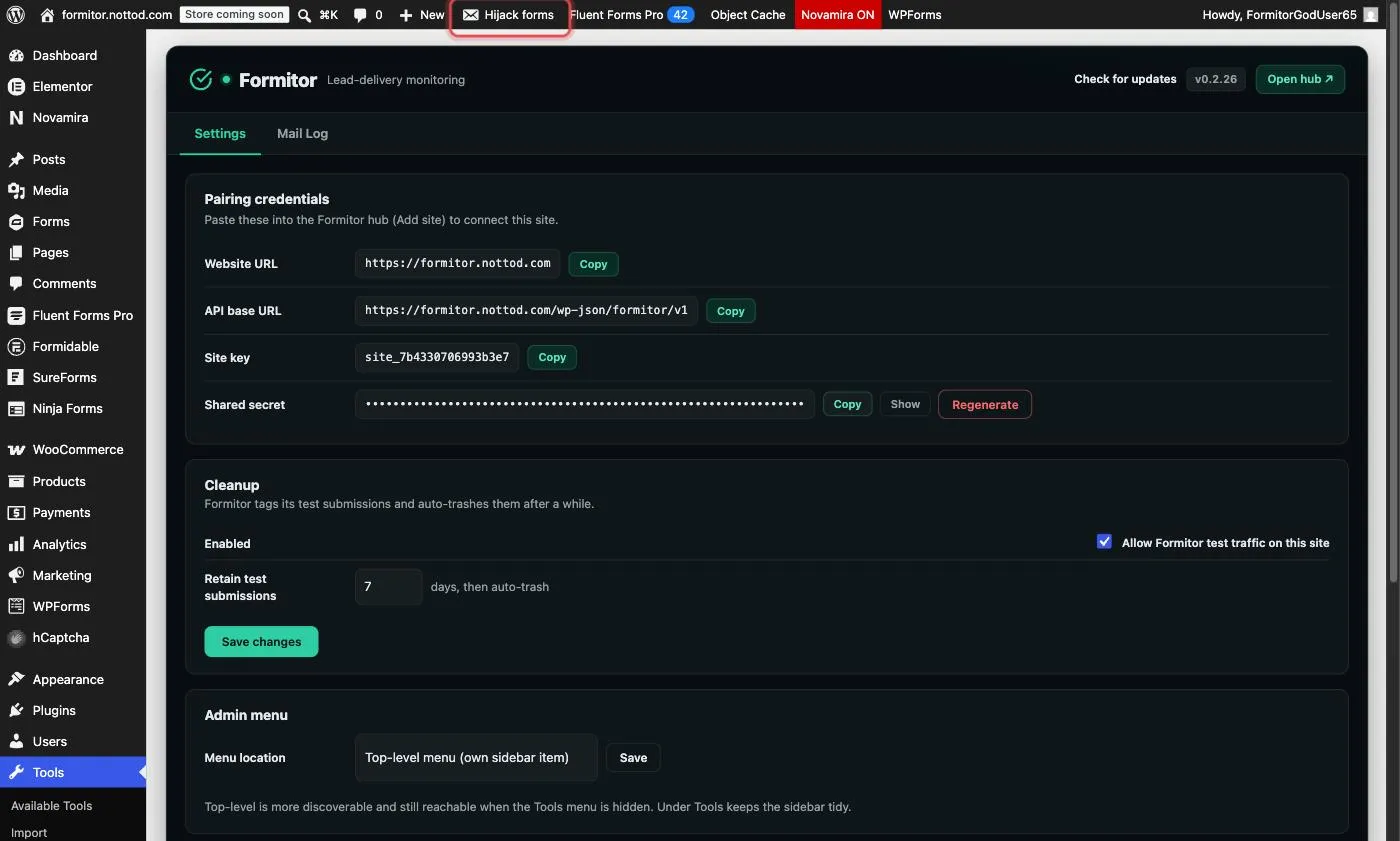
Starting a hijack
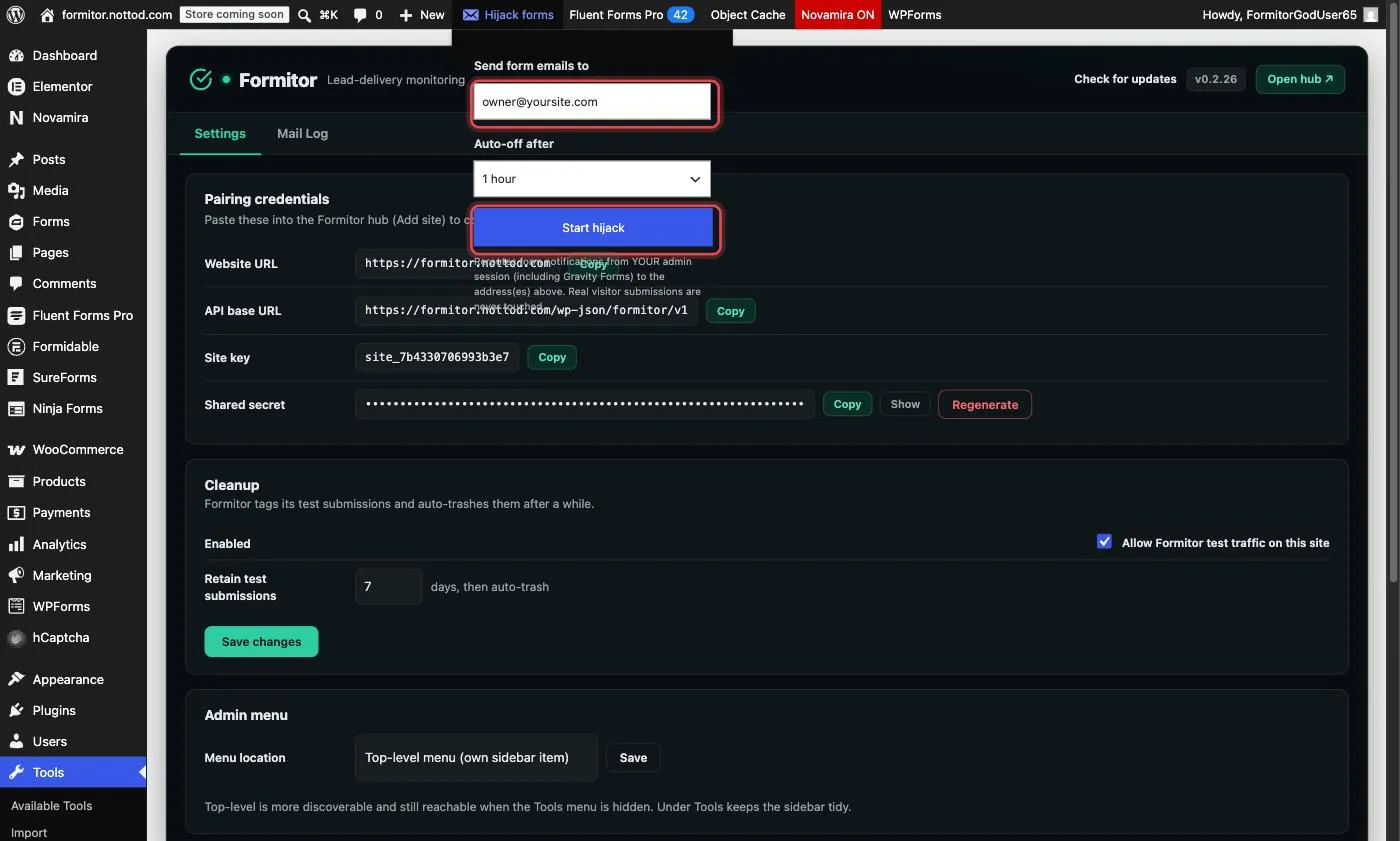
Hover the item, type the address (or addresses, comma-separated) that should receive the form emails, pick an auto-off window from 30 minutes to 4 hours, and click Start hijack.
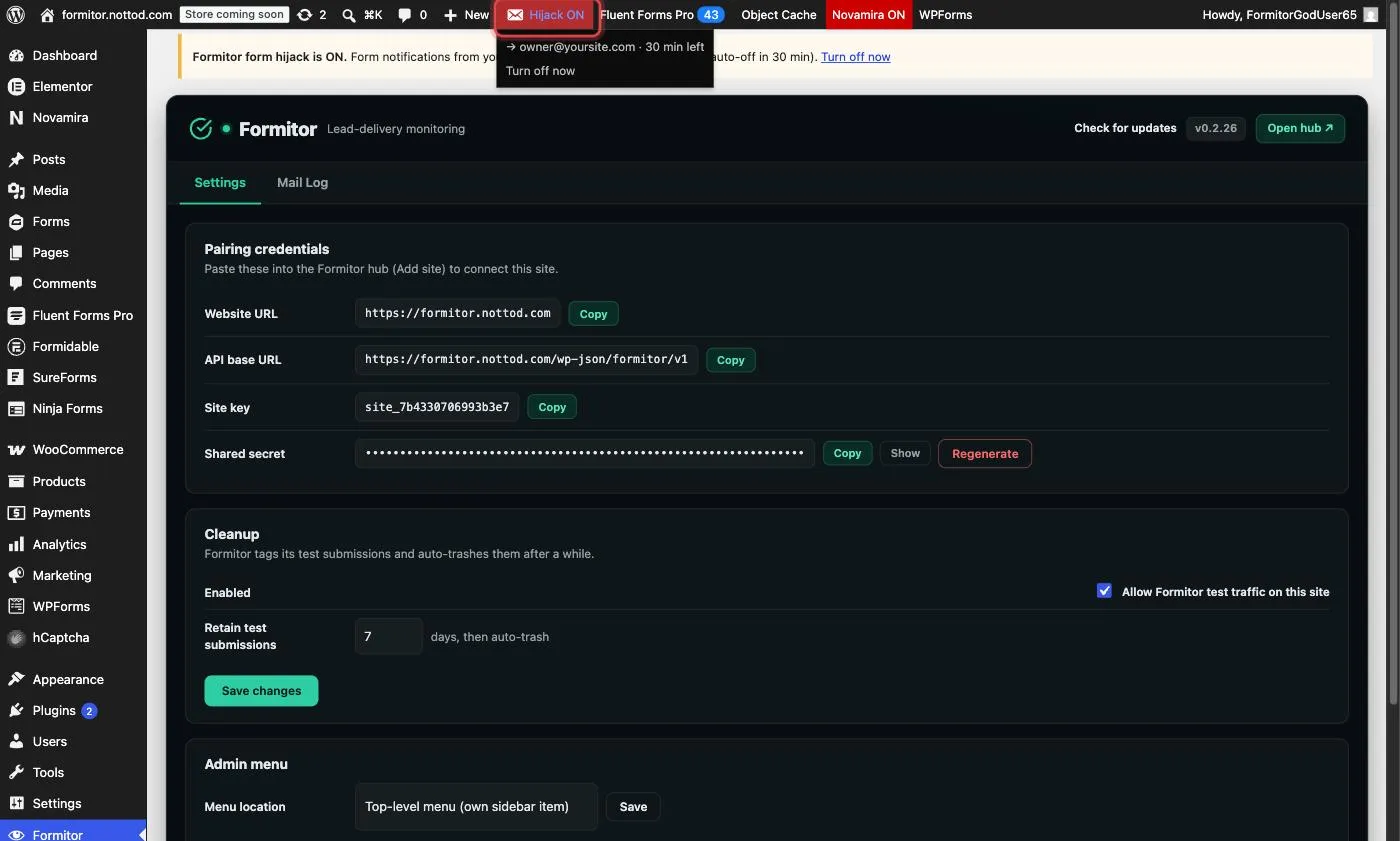
While it’s on
The admin bar item turns red: Hijack ON, with the target inbox and a countdown. A notice banner also shows across wp-admin so you can’t forget it’s active.
Now submit any form on the site from your browser: the notification lands in your inbox instead of the client’s. This covers async senders like Gravity Forms too; your test entry is tagged at submit time, so its later notification is rerouted even though it sends in a separate request.
When the timer runs out, the hijack shuts itself off. Or click Turn off now in the dropdown.
The safety model
- Only fires for requests from a logged-in administrator’s session. A visitor filling the same form at the same moment is completely unaffected.
- Auto-expires; there is no way to leave it on permanently by accident.
- Scheduled Formitor test submissions keep their own routing; hijack never touches monitoring traffic.