The shared secret pairs one WordPress site with one Formitor account. If it ever leaks (an ex-contractor had wp-admin, a staging clone went public), rotate it. Two minutes, nothing lost.
The flow on video:
Step 1: Regenerate in wp-admin
On the site, open Tools → Formitor and click Regenerate next to the shared secret.
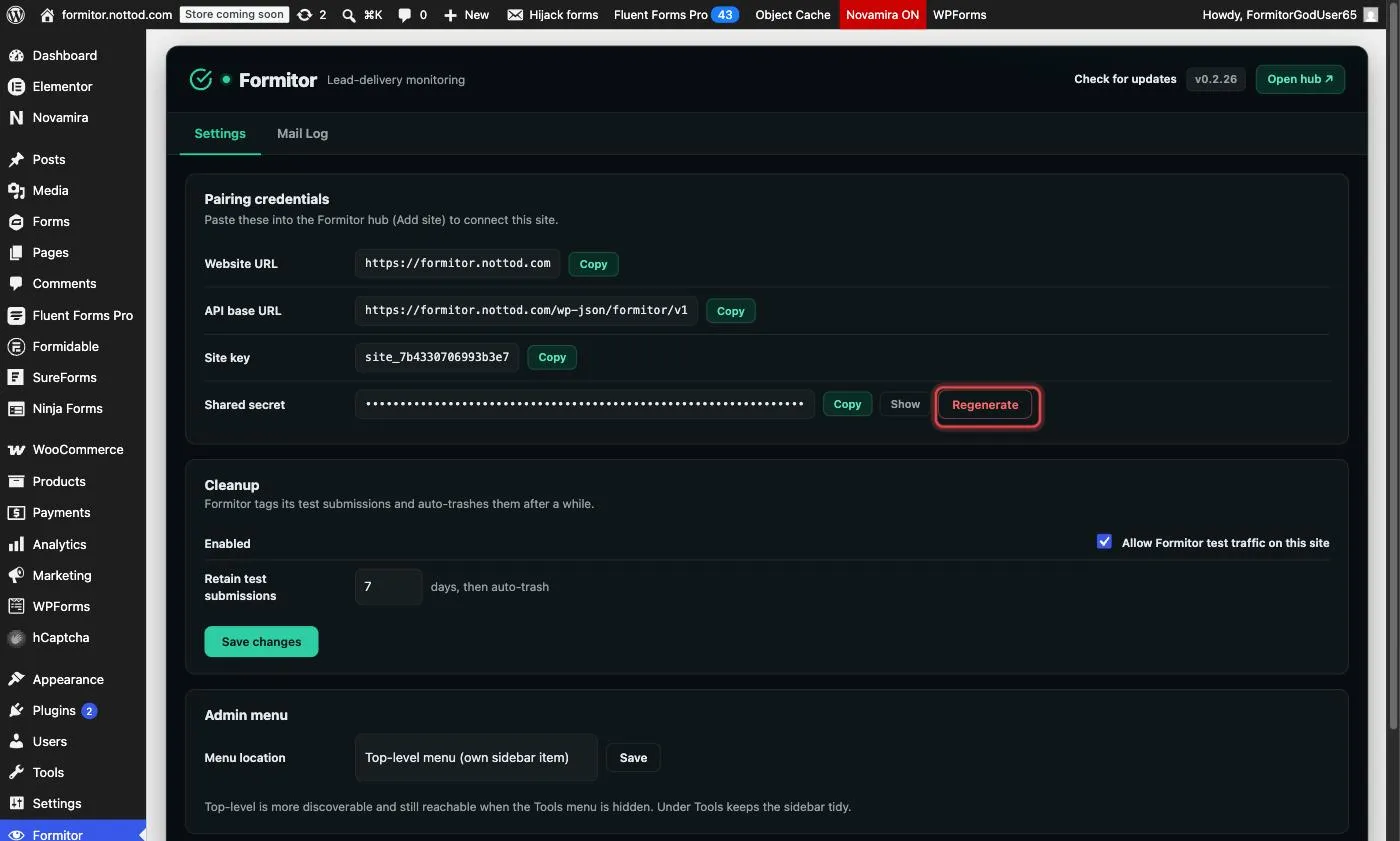
The old secret dies immediately: every holder of it, legitimate or not, is cut off. Your dashboard’s checks will start failing until you finish step 2, so do both steps together.
Step 2: Reconnect in the dashboard
Open the site’s Edit (pencil icon) and click Update connection keys…
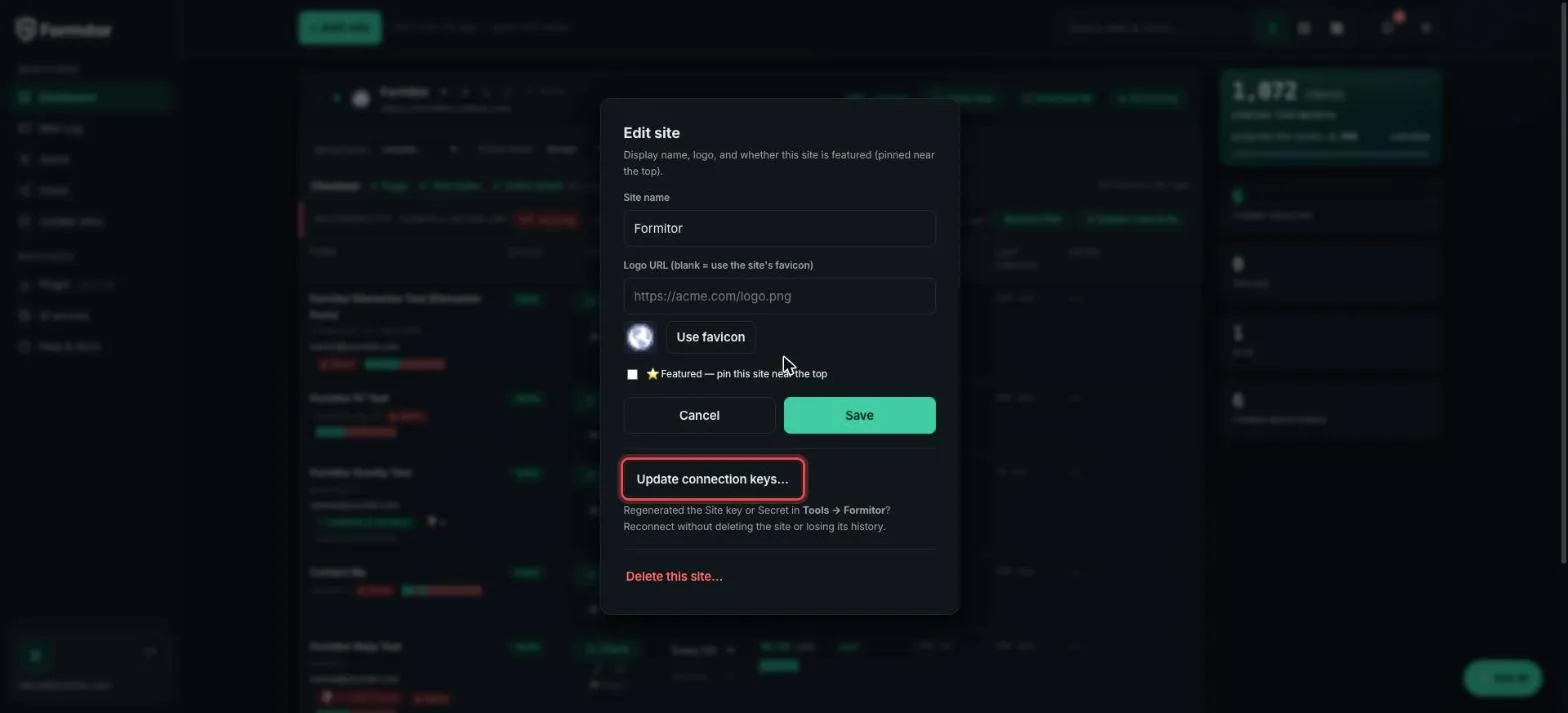
Paste the new secret (and the site key, which doesn’t change unless you regenerated it too), and Formitor re-verifies the connection with a signed request before saving. The site keeps its history, forms, schedules and settings; only the credential changes.
When to rotate
- Someone who had wp-admin access leaves the project.
- A backup or staging copy of the site (which contains the secret in its database) went somewhere you don’t control.
- Annual hygiene on high-value sites. It’s cheap; the whole round trip is two minutes.
What rotation does NOT do
It doesn’t interrupt real visitors, doesn’t touch the forms, and doesn’t lose any monitoring history. It only invalidates the old HMAC credential.